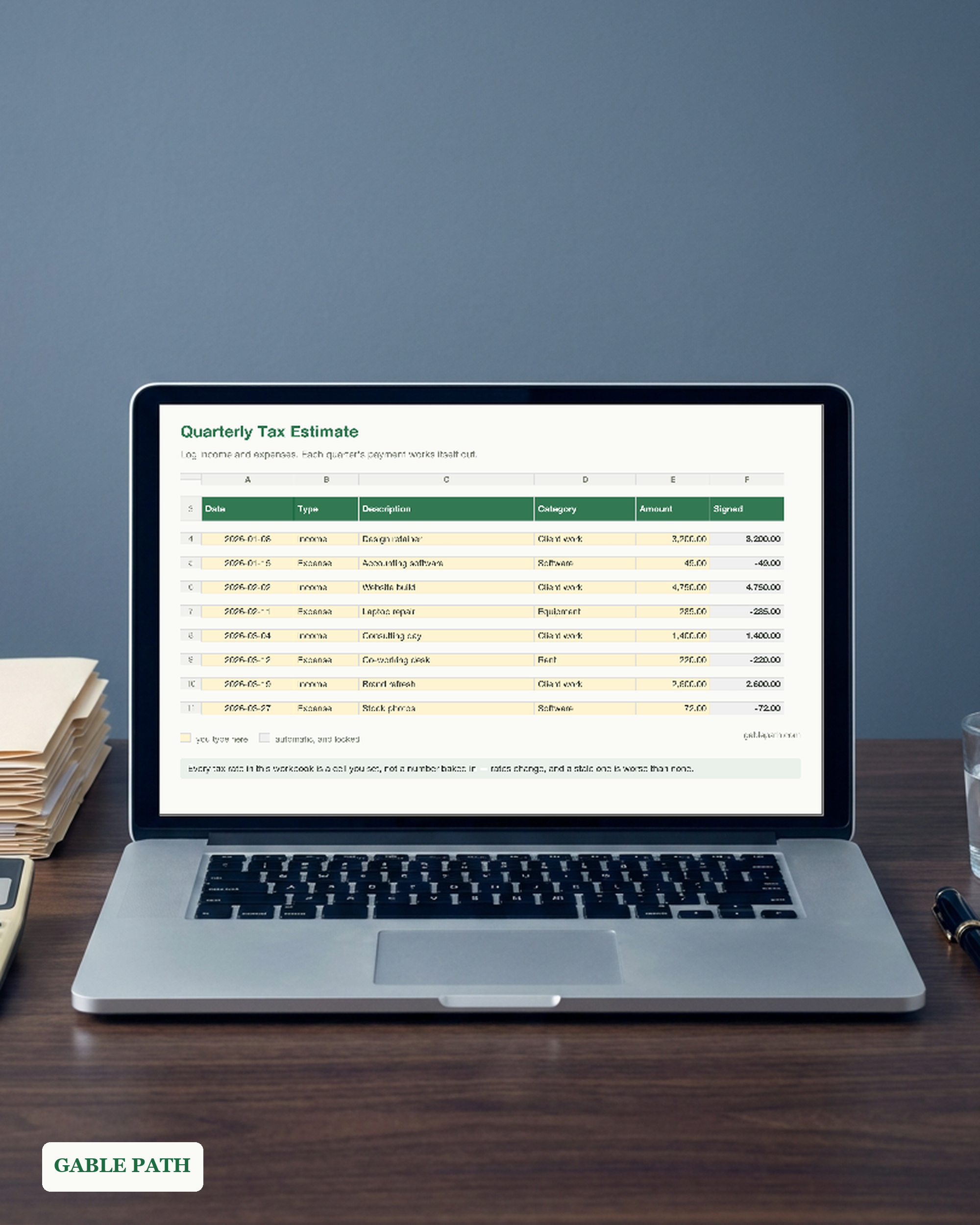
Quarterly Tax Estimate Spreadsheet, Excel and Google Sheets, Self Employed Estimated Tax Tracker
IRS quarters are not calendar quarters. That is the whole reason this exists.
Secure checkout on Etsy. Download link arrives immediately.
- Works in Microsoft Excel and free Google Sheets
- Formulas and layout locked — nothing to break
- Yours to keep, for personal and business use
IRS quarters are not calendar quarters. That is the whole reason this exists.
The four estimated-tax periods are uneven, and they always have been:
- Period 1 — January 1 to March 31, due April 15
- Period 2 — April 1 to May 31, due June 15
- Period 3 — June 1 to August 31, due September 15
- Period 4 — September 1 to December 31, due January 15
Split your year into four even quarters, as most templates quietly do, and you underpay in June and overpay in January. The penalty is charged per period, so a big January payment does not undo a short June one.
Every window in this workbook is the real one.
WHAT YOU TYPE
- Your tax year and four rates, once.
- One row per payment you receive, one row per expense you pay.
That is the whole system. The four payments and their due dates work themselves out as you type.
WHAT IS INSIDE
- Money In and Out — 400 rows with dropdowns for income or expense and eleven categories. The only tab you type in day to day.
- Quarterly Estimate — the four real periods side by side: income, expenses, net profit, self-employment tax, income tax, what to send, the due date, what you have paid and the balance still owing.
- Payments — every payment you make and its confirmation number, matched back to the period it covers.
- Read Me First — profit so far, the year’s estimated tax, and the one number most people want: what share of every dollar to set aside.
THE SET-ASIDE NUMBER It divides the year’s estimated tax by the year’s profit and tells you what to move into a separate account the day a payment lands. Most people who miss an estimated payment were not short of money that year — they were short of money that week.
WHY THERE ARE NO TAX RATES PRINTED IN IT Because they would be wrong, and you would not know it. Rates and thresholds move. A number baked into a file sold today goes stale in every copy already downloaded, so the self-employment rate, the net earnings factor, your federal estimate and your state rate are four cells you set, with a pointer to irs.gov. A wrong rate in a tax tool is worse than no rate at all.
A LOSS PERIOD SENDS NOTHING If a period’s expenses beat its income, that period’s payment is zero rather than a negative number. Deliberate — an estimated payment is never a refund request.
WORKS IN BOTH Excel and Google Sheets. Drag it into Google Drive and every formula, dropdown and colour carries over. A detailed PDF quickstart is included, with the period table and the due dates on one page.
WHY THE GREY CELLS ARE LOCKED Every calculated cell is protected, because the fastest way to break a tax estimate is to overwrite a formula and not notice until April. Type in the yellow cells. No password is set — you can unlock any sheet if you want to.
This is an estimating tool, not tax advice. It does not know about a spouse’s withholding, your deductions, the qualified business income deduction, or the safe-harbour rules that can cap what you owe. Before your first year of estimated payments, ask an accountant once, properly.
INSTANT DOWNLOAD Delivered the moment you buy. Nothing ships.
Made by a two-person shop. Questions get a real answer at [email protected].
AI DISCLOSURE The spreadsheet’s structure, formulas and wording were designed and built with the help of AI tools, then tested and checked by a person before listing. The cover and preview images are generated graphics, not photographs.
What's included
- quarterly-tax-estimate.xlsx — spreadsheet, opens in Excel or Google Sheets
- quickstart.pdf — one-page quickstart, download to first entry
Questions
How do I get the file?
It is an instant download. Checkout happens on Etsy, and the download link is on the confirmation page and in your emailed receipt. Nothing ships; there is nothing to wait for.
What do I need to open it?
Open it in Excel, or upload to Google Drive and choose Open with Google Sheets. No Microsoft subscription needed.
Can I change it to suit my business?
Yes. Categories, names and labels are yours to rename, and the totals follow automatically. The calculated cells are the protected ones, so you can edit freely without knocking a formula out.
Can I use this for client or business work?
Yes — use it in your own business or personal projects as much as you like. The one thing you cannot do is resell or redistribute the file itself.
What if it isn't right for me?
Refunds are handled by Etsy under their own buyer policy for digital downloads — request one through your order there and it goes through their process, not ours.
Get the next template
One short email when a new spreadsheet or template ships — plus the occasional tip for getting more out of the ones you already have. Nothing else.
We send the list and nothing more. Your address is never sold or shared, and every email has a one-click unsubscribe.